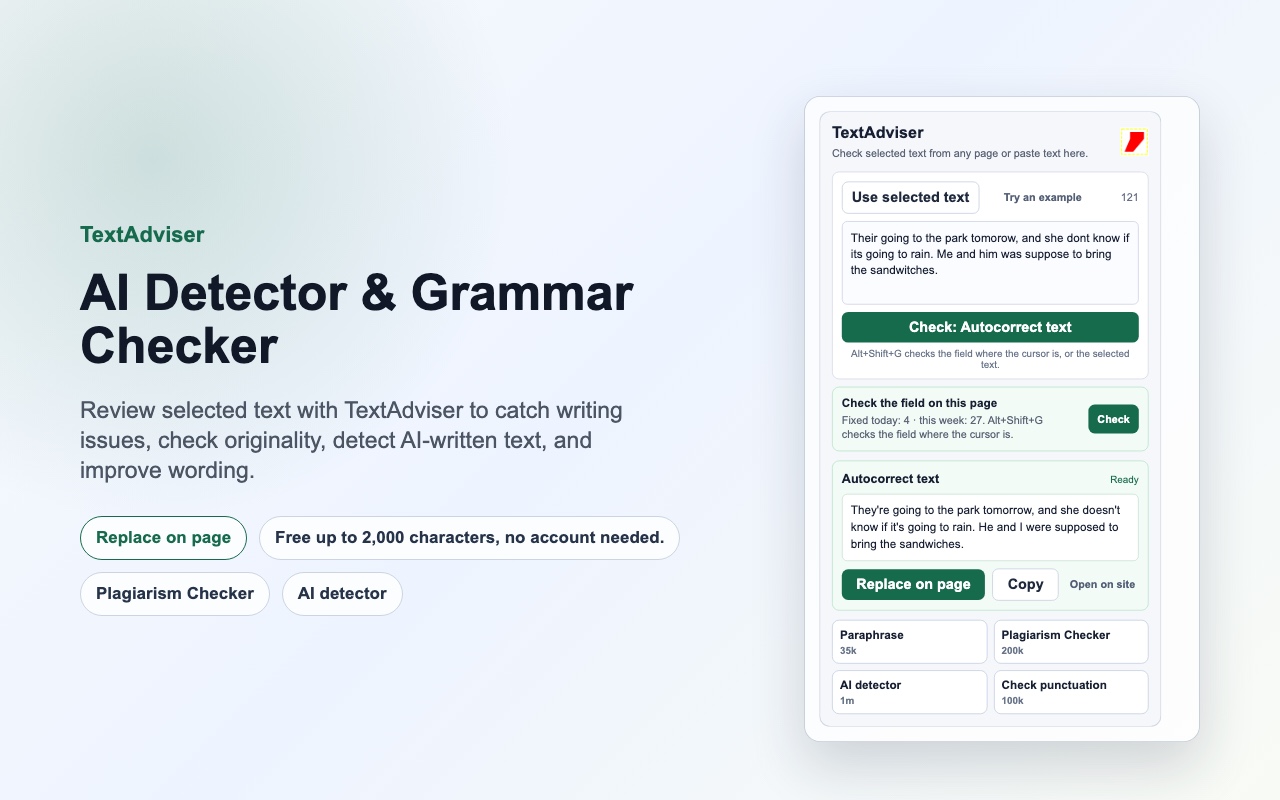
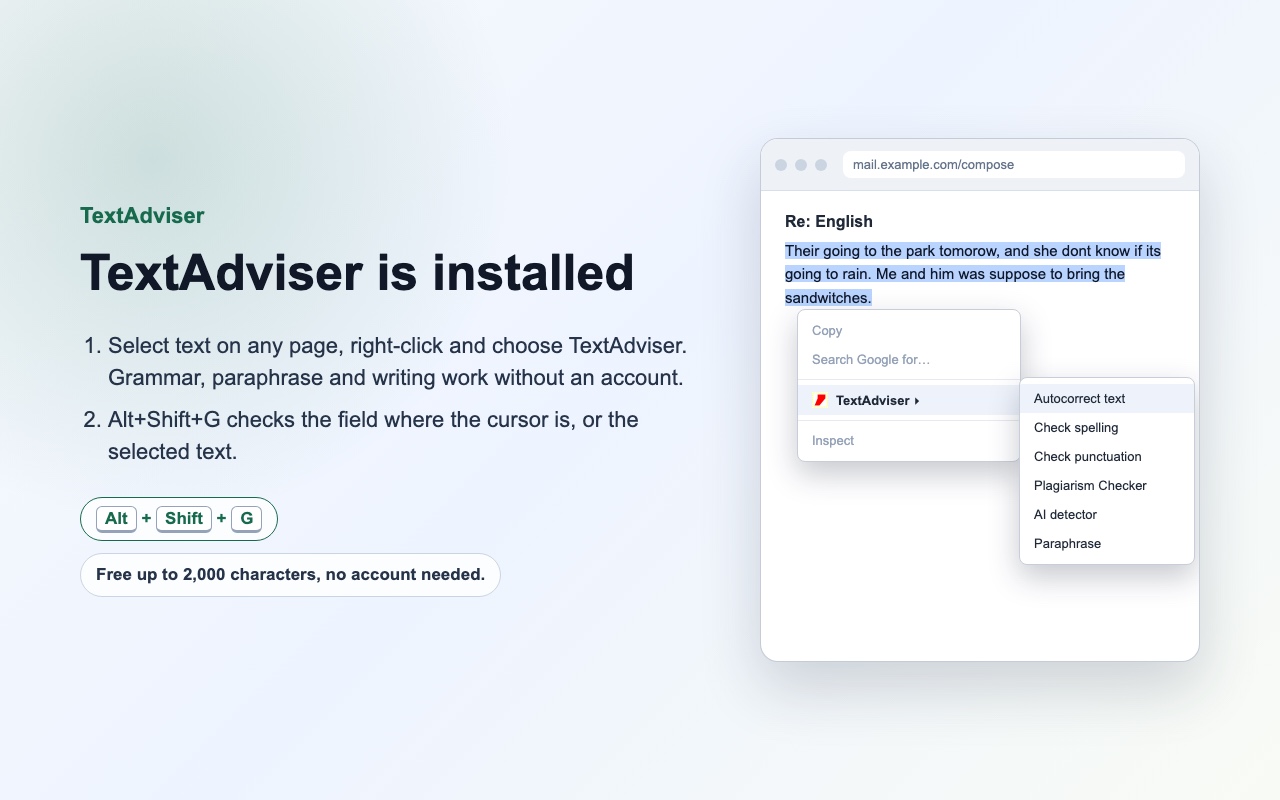
Spelling and punctuation fixed right in the text field where you write: email, chats, forms, documents in the browser. Mistakes are listed with corrections, "Fix all" changes the text in place and Ctrl+Z undoes it. Grammar, paraphrase, plagiarism and AI-text checks run from the same panel.
Install from the Chrome Web StoreFree without an account: spelling, punctuation, grammar, paraphrase and writing for texts up to 2,000 characters.
How it works
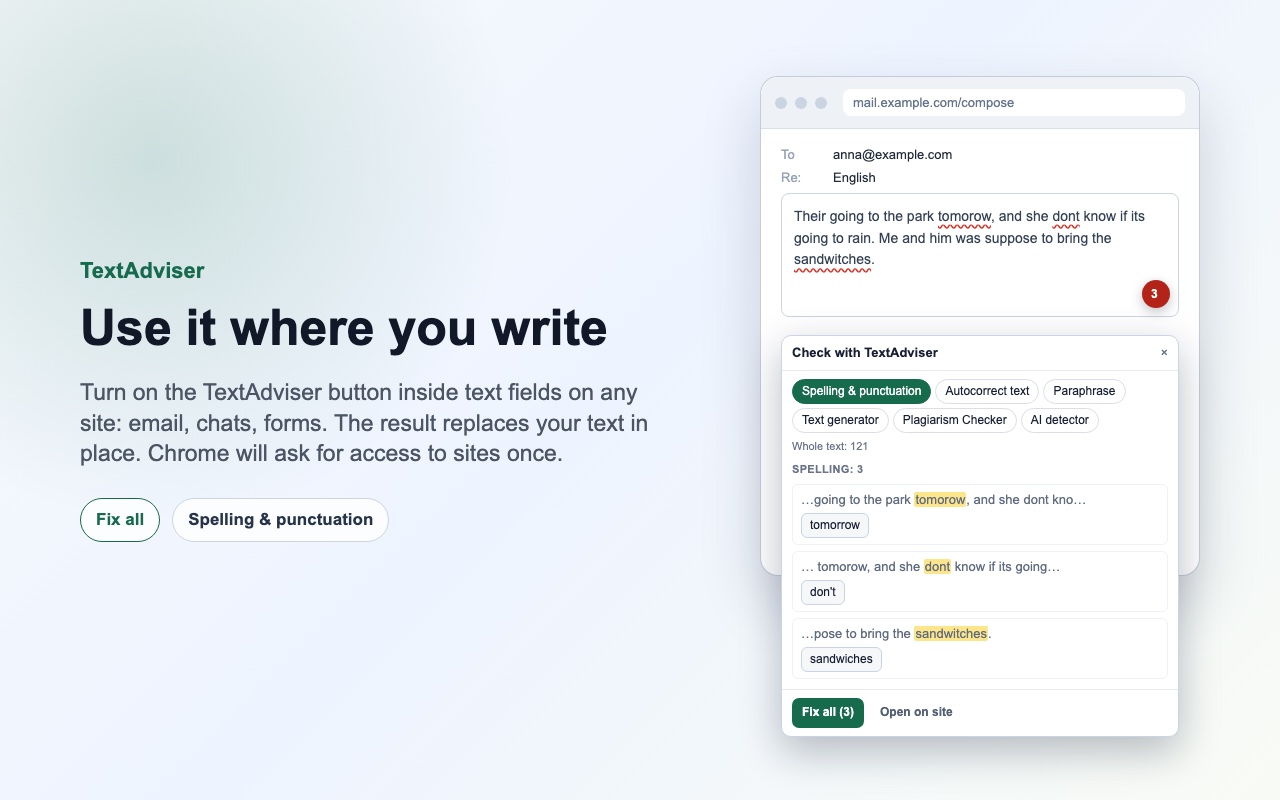
- Click into any text field: the TextAdviser button appears in its corner.
- Click the button or press Alt+Shift+G. Spelling and punctuation mistakes are listed with corrections.
- Press "Fix all" or apply corrections one by one. The text changes in place, Ctrl+Z undoes it.
What it can do
- Spelling and punctuation in any text field: mistakes with corrections, "Fix all", the count on the button.
- Grammar checker: the corrected text replaces yours in one click.
- Paraphrase, text generation, main idea and syntax parsing.
- Plagiarism check and AI-written text detection with the result inside the field panel.
- Only the text you check is sent to textadviser.com. The extension does not read pages in the background.
PRO from $1.99 for 30 days
PRO removes the length limits, uses the priority queue and opens all checks. A free account already raises the limit to 3,000 characters.
See the plansScreenshots